Your financial data belongs to you
RupeeTrail automatically captures your bank, card, and UPI transactions and turns them into tidy expense entries — without a single tap of typing, and without your data ever leaving your phone.
Private by design
Most finance apps ask you to upload your statements to their servers. RupeeTrail does the opposite: there is no server, no account, and nothing to upload. Your money stays your business.
Everything stays on your phone
Transactions, budgets, goals, and settings live in a private database on your device. We don't operate a server that can receive them, so we can't see, sell, or lose your data.
Encrypted and lockable
The on-device database is encrypted with SQLCipher and a hardware-backed key. Add an optional app lock — fingerprint, face, or PIN — so only you can open it.
Transactions only. Never your inbox
RupeeTrail captures only real financial transactions, with your explicit permission. It never asks for SMS access, and ignores OTPs, promos, and anything that isn't a genuine payment.
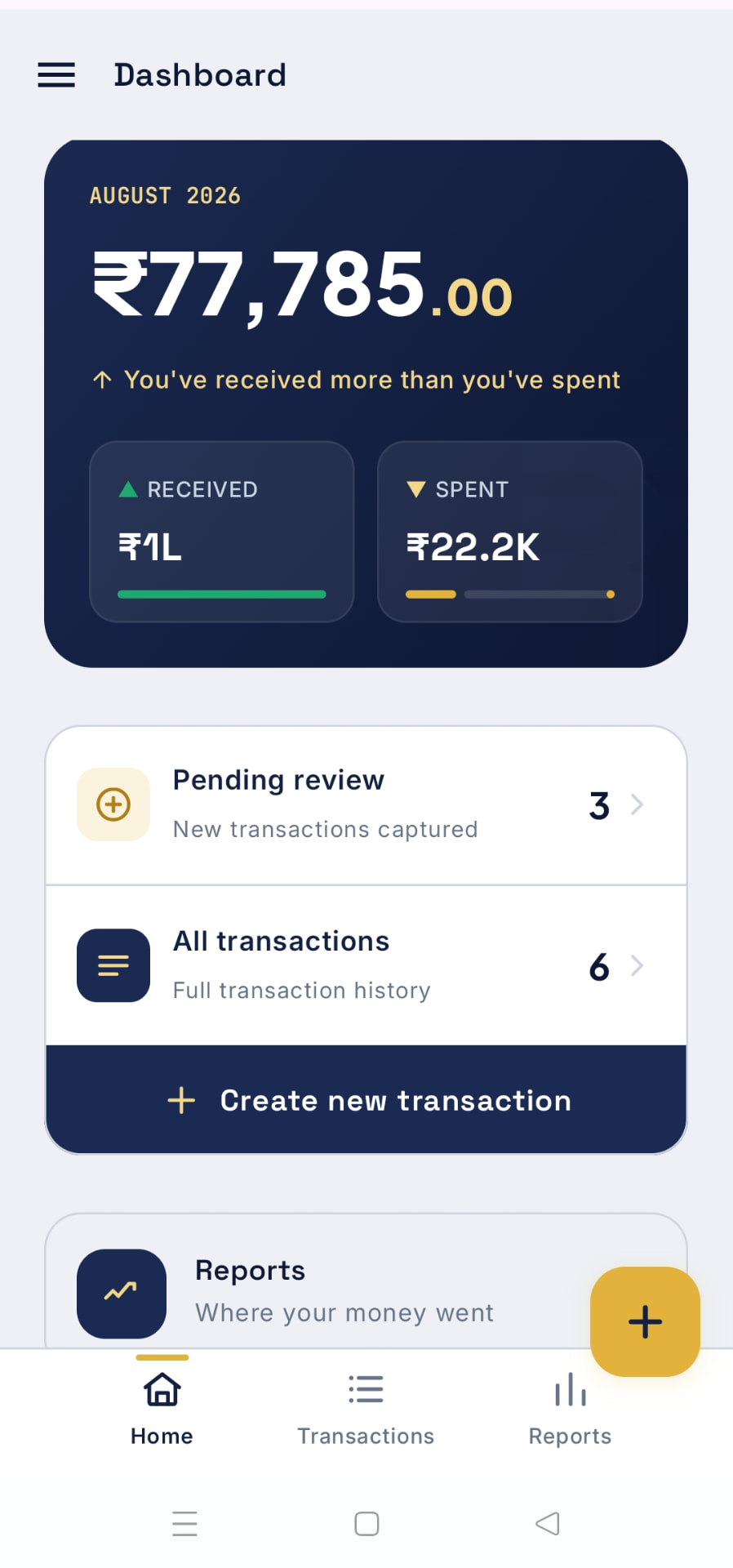
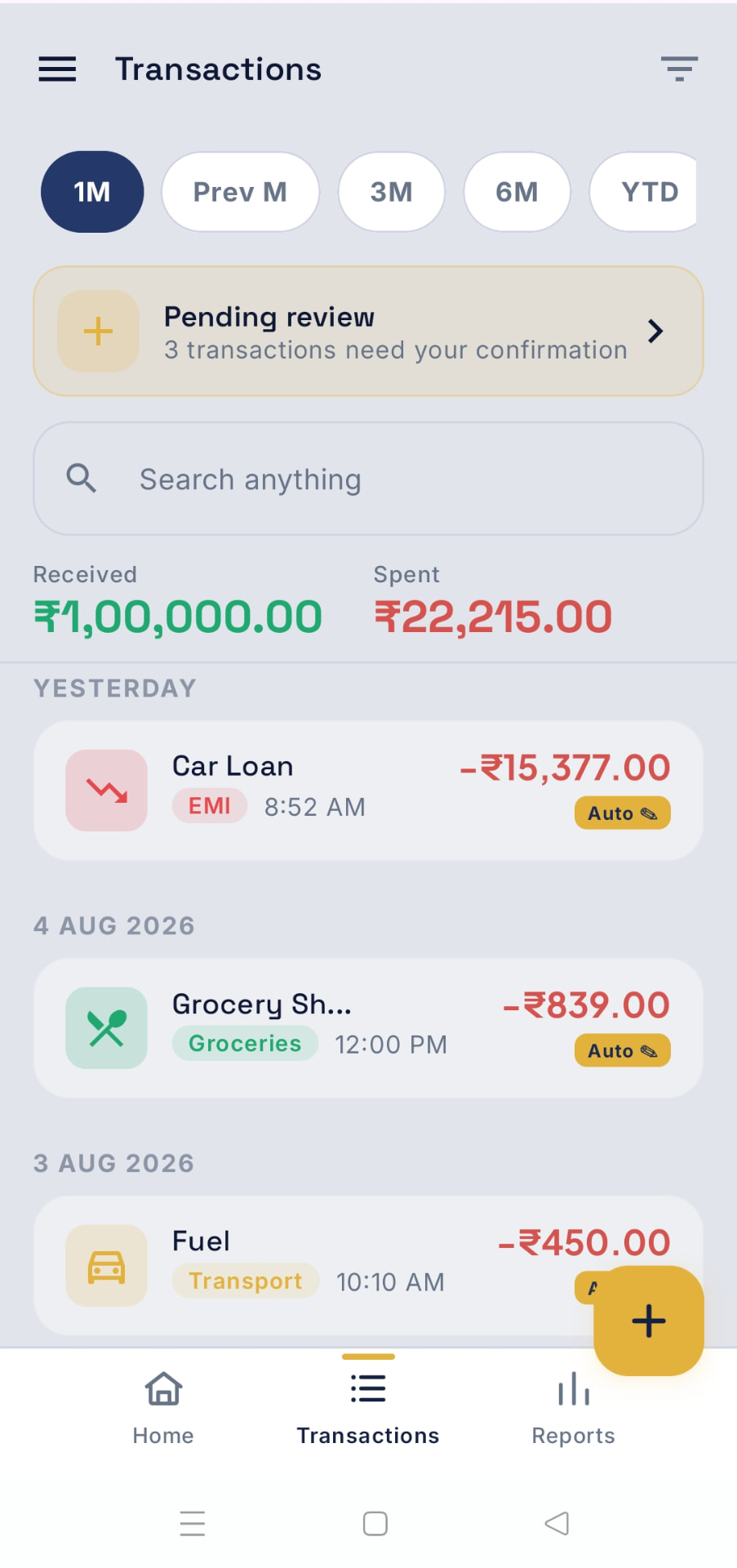
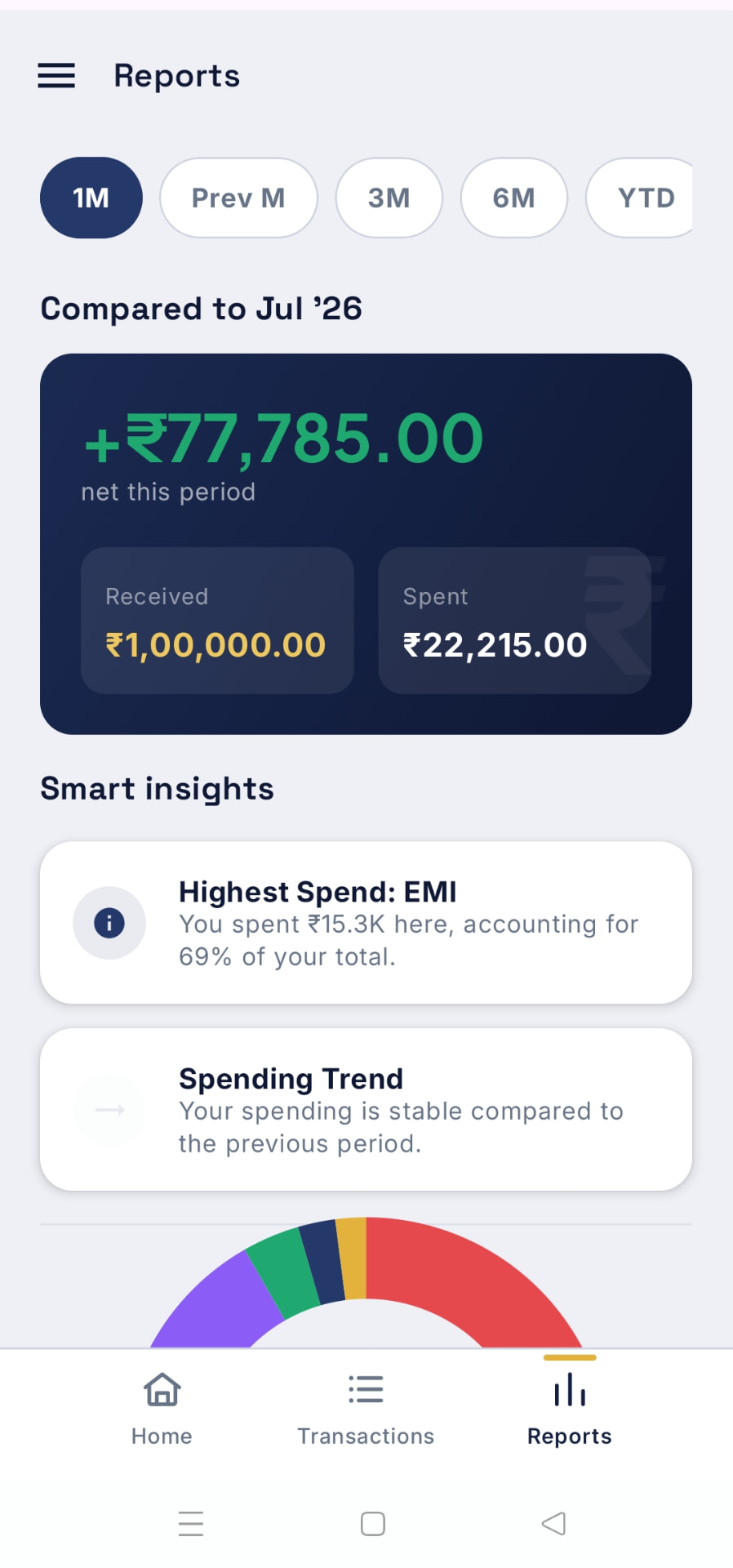
Designed for clarity, built for speed.
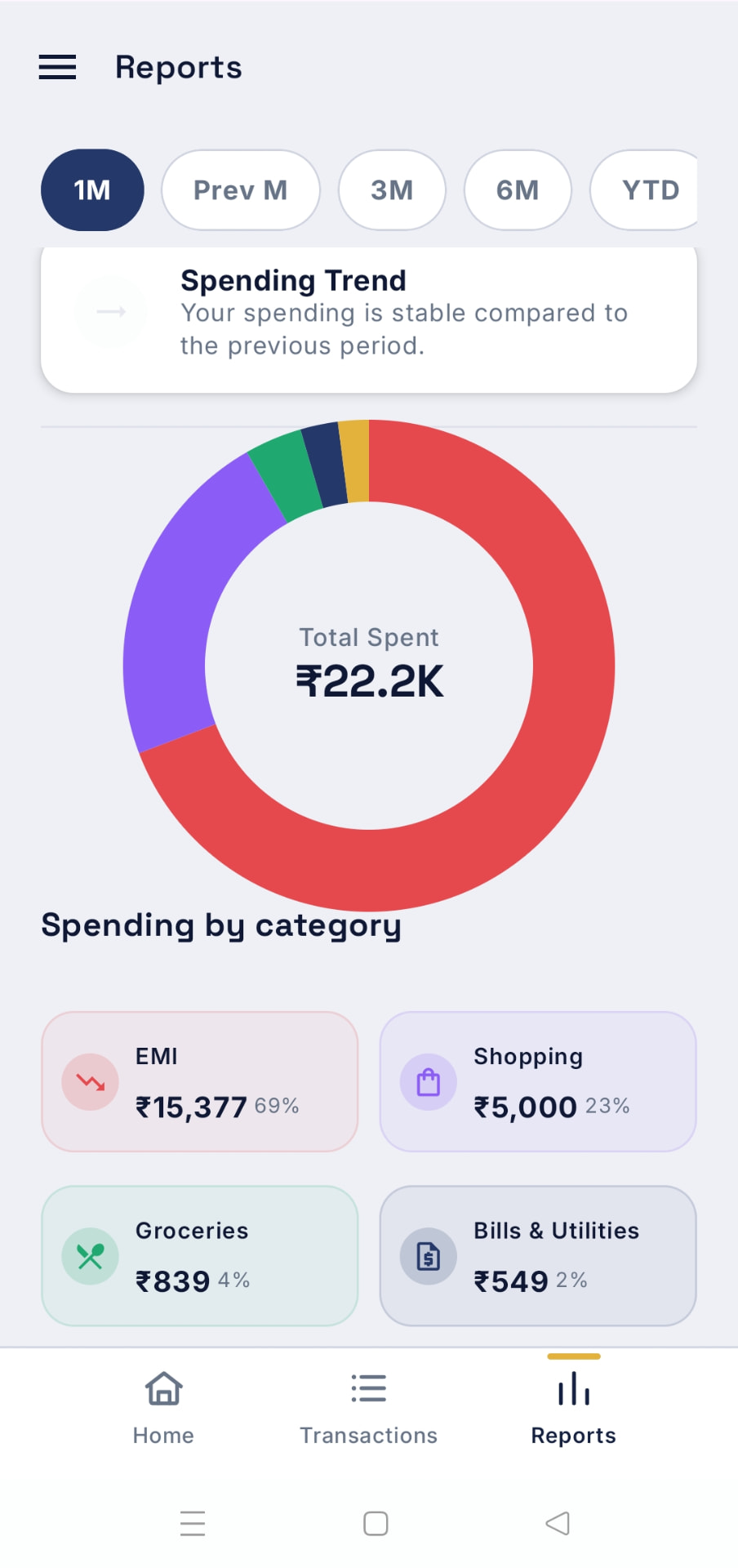
A few of the screens you'll use every day — capture, categorise, and stay on budget without leaving your phone.
Three steps, then it runs itself.
Set up once. After that, RupeeTrail quietly keeps your ledger current in the background.
One-time setup
A guided, one-time setup walks you through exactly how RupeeTrail works and what permissions it needs — before you approve anything. You stay in control and can revoke access anytime.
Pay like you always do
UPI, credit card, debit card, or netbanking. Every payment you make is automatically captured — amount, merchant, date, and direction — entirely on your device.
Confirm the category
Captured spends land in a review queue with the details pre-filled — just pick a category, or let high-confidence captures auto-confirm. Cash? Add it in seconds.
A full money picture, captured automatically.
RupeeTrail isn't just capture. It's budgets, goals, reports, and recurring bills — all working from the same private, on-device ledger.
Automatic capture
Debit, credit, card, UPI, ATM, wallet, and autopay transactions across banks — captured automatically, with no waiting for bank-specific updates.
Smart review queue
Captured transactions wait for a one-tap confirm. Duplicates are automatically merged, and OTPs and failed payments are filtered out automatically.
Manual entry & refunds
Log cash in a couple of taps, track income, and mark a refund linked to its original expense so your totals always reconcile.
Reports & insights
Spending trends, cash-flow vs last period, an interactive category donut, top merchants, and smart highlights — for any date range.
Budgets that roll over
Set per-category limits by week, month, or year. Watch live spend bars and let an unspent balance carry into next period.
Savings goals
Set a target and a date, log contributions, and see a projected finish line with an on-track signal that nudges you early.
Recurring & categories
Rent, salary, and subscriptions appear on schedule automatically. Organise with custom categories, a 50-icon catalogue, and favourites.
Accounts & widget
Track per-account balances for banks, cards, and wallets, and add a spend from your home screen with the quick-add widget.
You own your data
Export to CSV, make a passphrase-encrypted backup you control, restore on a new phone, or erase everything in one tap.
Start free. Unlock for ₹249/year.
Full access for 30 days — no card, no sign-up, no limits. Then a simple annual subscription keeps you current.
Free 30-day trial, then ₹249/year. Cancel anytime in Google Play.
- Automatic transaction capture — no typing required
- Budgets with rollover, savings goals & advanced reports
- Recurring transactions & quick-add widget
- Encrypted backup, CSV export, restore
- Fully on-device & encrypted — no ads, no account
If you choose not to subscribe after the trial, your data stays safe and readable. You can still view all transactions, reports, and budgets, export to CSV, and create encrypted backups — always. Adding new transactions, confirming captured transactions, creating budgets, categories, or recurring entries requires an active subscription.
Your money, finally accounted for.
Install RupeeTrail and try every feature free for 30 days — then ₹249/year. No account, no risk.
Questions, answered.
Everything people usually ask before and after installing RupeeTrail.
Product & Features
What exactly does RupeeTrail do?
It captures your bank, card, and UPI transactions as they happen and turns them into tidy, categorised expense entries — no manual typing. You confirm the category with one tap, and your reports and budgets stay up to date on their own.
Does RupeeTrail read my SMS or email?
No. It never asks for SMS access and never touches your inbox. It works from transaction notifications only, with your explicit permission, and ignores OTPs, promotions, and anything that isn't a genuine payment.
Which banks and payment methods are supported?
Debit and credit cards, UPI, netbanking, ATM withdrawals, wallets, and autopay across banks. The capture logic is universal rather than bank-specific, so you don't have to wait for an update when you change banks.
What happens if the same payment is captured twice?
Duplicates are merged automatically, so a payment that triggers more than one alert still appears as a single expense in your list.
Can I add or edit transactions myself?
Yes. You can add cash spends manually, edit any captured entry, change its category, or delete it entirely. Nothing is locked.
Can I export my data?
Yes. You can export everything to CSV at any time and create encrypted backups you control.
Subscription & Billing
How much does RupeeTrail cost?
Every feature is free for 30 days. After that it's ₹249 per year. There are no ads and no in-app purchases beyond that subscription.
Do I need to pay anything to start the trial?
No. Install the app and start using it — the trial begins straight away.
What happens when the trial ends and I don't subscribe?
Your data stays safe and readable. You can still view all transactions, reports, and budgets, export to CSV, and create encrypted backups. Adding new transactions, confirming captured transactions, and creating budgets, categories, or recurring entries need an active subscription.
How do I subscribe, cancel, or get a refund?
Billing runs through Google Play. Subscribe from inside the app, and manage or cancel it any time under Subscriptions in the Play Store. Refunds follow Google Play's standard policy.
If I resubscribe later, is my old data still there?
Yes. Your history stays on your device throughout, and everything unlocks again the moment your subscription is active.
Technical
Where is my data stored?
Entirely on your phone, in an encrypted local database. There is no RupeeTrail cloud, no account to create, and nothing is uploaded to us or anyone else.
Which permission does RupeeTrail need, and why?
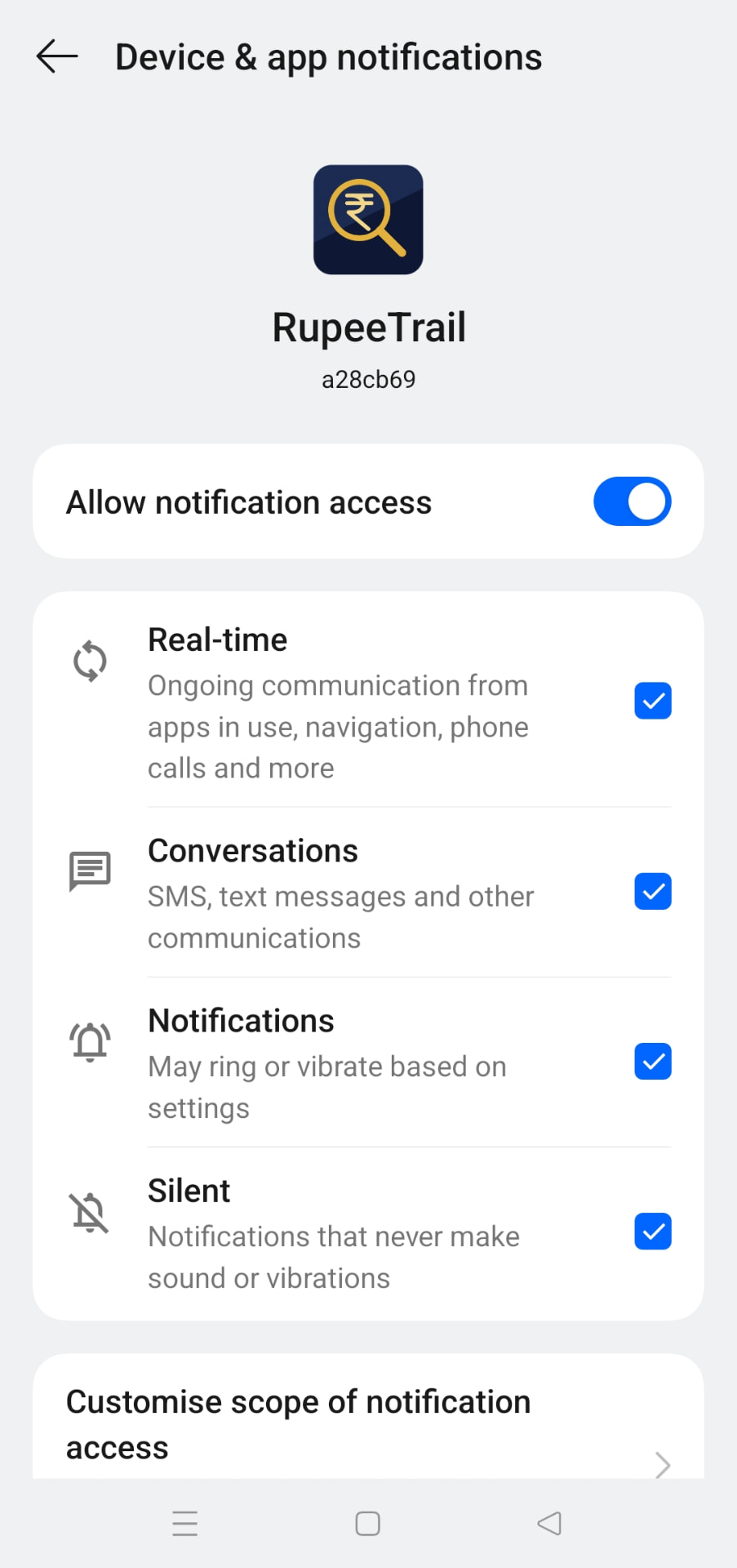
Only notification access, so it can see your bank's transaction alerts as they arrive. A one-time guided setup explains it before you approve anything, and you can revoke it in Android settings whenever you like.
Does it work offline?
Yes. Everything — capture, categorisation, reports, budgets — runs on your device and works without an internet connection.
What if I change or reset my phone?
Create an encrypted backup before you switch, then restore it on the new device. Because nothing is stored on a server, that backup is the only way to carry your history across.
Why isn't a transaction showing up?
Usually the bank's alert never arrived: check that notification access is still granted to RupeeTrail, that your bank's own alerts are switched on, and that battery optimisation isn't stopping the app in the background.
Why are some of my bank transactions missing from RupeeTrail even though I received the SMS?
RupeeTrail captures bank transactions by listening to the notifications your phone receives from your bank. For this to work, the RupeeTrail listener must be running in the background at the exact moment the notification arrives. On most Android phones — especially those from brands like Xiaomi, Realme, OnePlus, Samsung, and Vivo — the operating system aggressively closes background apps and services to save battery. If RupeeTrail's listener was closed by the OS when your bank SMS arrived, that transaction will be missed and will not appear in your review queue.
How do I fix this?
Follow these two steps on your Android phone. The exact menu names may differ slightly depending on your phone brand and Android version.
Step 1 — Allow RupeeTrail to run unrestricted in the background
- Open your phone's Settings
- Go to Apps (or App Management)
- Find and tap RupeeTrail
- Tap Battery (or Battery usage)
- Select Unrestricted (or No restrictions)
Do not leave it on “Optimized” — this allows the OS to close RupeeTrail when it thinks the app is idle.
Step 2 — Enable Auto-start (if your phone has this option)
- Go to Settings → Apps → RupeeTrail → Other permissions (or search for “Auto-start” in Settings)
- Turn Auto-start ON
This tells the phone to restart RupeeTrail's listener automatically if it was ever stopped.
Does this happen on all phones?
Battery optimization aggressiveness varies by manufacturer. Google Pixel phones are generally the least restrictive. Xiaomi (MIUI), Realme, Vivo, and older Samsung (One UI) phones are the most aggressive. If you use one of these brands, applying both steps above is strongly recommended.
Will missing transactions be recovered automatically?
No. Android does not replay missed notifications to apps that were not running when the notification arrived. Transactions that were missed while the listener was off cannot be automatically recovered.
If you notice a transaction is missing, you can add it manually using the + Create new transaction button on the Transactions screen.
How do I know if the listener is running?
If you receive a bank SMS and it appears in your RupeeTrail review queue within a few seconds, the listener is working correctly. A quick way to test is to make a small UPI payment and check whether it shows up in the Pending review section shortly after.
Which Android versions are supported?
RupeeTrail runs on modern Android phones; the Google Play listing shows the exact requirement for your device before you install.
Still stuck? Write to support@rupeetrail.co.in — we read every message.